What makes a handwritten font right for your baby shower announcement?
A handwritten font for baby shower announcement helps convey warmth, personality, and intimacy without needing calligraphy skills. It’s not about perfection. It’s about tone: soft curves, slight irregularity, and a sense of gentle human touch.
When does a handwritten font actually work best?
Use it when the invitation feels personal not corporate, not formal, not overly decorative. Think backyard gatherings, brunches, or small-circle celebrations. Avoid it if your event leans modern-minimalist or has strict branding (e.g., matching monogrammed napkins and signage). A script like Moonlight Script or Lavanderia reads as relaxed and joyful, while something too ornate like Great Vibes at large sizes can feel stiff or dated on printed invites.
How to match the font to your event’s mood and details
Consider your guest list and delivery method. For digital-only announcements (email, Instagram stories), choose fonts with clear letterforms and open spacing fonts designed for screen legibility often work well here. For printed cards, prioritize ink-friendly options: avoid ultra-thin strokes or excessive flourishes that may blur or break up in home printing. If you’re adding watercolor textures or floral borders, pick a font with moderate contrast too much variation in stroke weight can compete visually.
Common mistakes and how to fix them
Too much spacing between letters makes names hard to read. Too little spacing crowds the design. Test-print a full name at actual size before finalizing. Another frequent issue: mixing more than one handwritten font. Stick to one primary script, and pair it only with a clean sans-serif (like Quicksand or Open Sans) for details like date, time, and address. Also, avoid stretching or skewing the font it breaks its natural rhythm and looks unbalanced.
Can you adjust it yourself? Yes with limits.
You don’t need design software. Google Docs and Canva support most free handwritten fonts. But avoid “bolding” a delicate script it distorts its character. Instead, increase size slightly or use color contrast (e.g., charcoal gray instead of black) for emphasis. If the font lacks a lowercase “g” or ampersand that fits your style, swap just that glyph not the whole line.
Your quick checklist before sending
- Print a test copy on the same paper stock you’ll use
- Read the full announcement aloud does the font make names or key details harder to parse?
- Check contrast: text must be clearly visible against any background texture or photo overlay
- Verify all accents, hyphens, and apostrophes render correctly (especially in names like “O’Connor” or “José”)
- For physical mail, confirm font size is legible at arm’s length 14–18pt is usually safe for body text
For more tailored options, explore handwritten fonts specifically tested for baby shower announcements, or see how similar styles work in related contexts like teacher appreciation notes.
Try It Free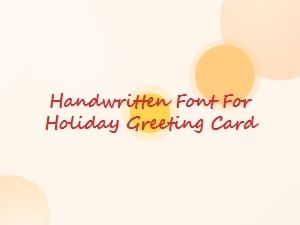 Handwritten Fonts for Holiday Greeting Cards
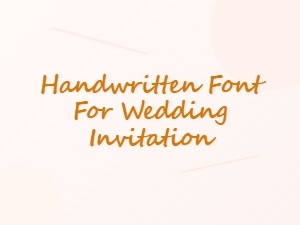 Elegant Handwritten Fonts for Wedding Invitations
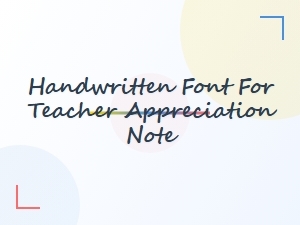 Handwritten Fonts for Teacher Appreciation Notes
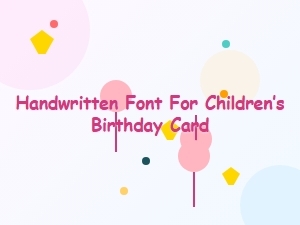 Handwritten Fonts for Children’s Birthday Cards
 Serif Fonts for Vintage-Themed Planners
 Elegant Serif Fonts for Wedding Invitations