What makes a monospace font work for minimalist planner layouts
A monospace font for minimalist planner layouts delivers clarity through uniform character width. Each letter, number, and symbol occupies the same horizontal space no narrow i’s or wide m’s. This creates predictable alignment, even when mixing dates, checkboxes, and short notes in tight grid-based planners.
When does monospace fit best and when doesn’t it?
Use monospace when your planner relies on vertical rhythm: daily time blocks, habit trackers with aligned columns, or weekly spreads where left-aligned task lists need consistent indentation. It works poorly for long-form journaling or decorative headers those benefit from proportional fonts with visual contrast.
For example, classroom handouts often use monospace to keep student responses neatly aligned. Similarly, vintage typewriter posters lean into monospace for authenticity not just aesthetics, but structural honesty.
How to match monospace to your planner’s purpose
Ask: Is legibility at small sizes critical? Then choose fonts like IBM Plex Mono or Fira Code they have open counters and generous x-heights. Is the layout mostly black-and-white with fine lines? Avoid overly condensed variants like Source Code Pro Light, which can blur at 8pt.
If you print weekly spreads, test how the font renders on your specific paper stock. Matte finishes handle sharp monospace edges better than glossy. If you annotate digitally, pick a version with clear distinction between 0 (zero) and O (capital o), like JetBrains Mono.
Common technical missteps and fixes
Using too much line height with monospace creates visual gaps that break the grid. Stick to 1.2–1.35× line height for body text. Another error: pairing monospace with another monospace for headings it adds no hierarchy. Instead, use a clean sans-serif like Inter or Helvetica Now for section titles.
Don’t stretch or skew the font to “fit” more text. Monospace loses its integrity when distorted. If content overflows, reduce padding or adjust column width not the font metrics.
Your next step: a 4-point checklist
- Print one week’s layout using your chosen monospace font at actual size check spacing between bullet points and date numbers
- Verify that numbers (especially 1, 0, and 7) remain distinct at 9pt on your device or printer
- Compare alignment of mixed content: a checkbox, a time stamp (e.g., “9:00”), and a short note all should sit cleanly on the same baseline
- Bookmark the dedicated page on monospace font for minimalist planner layouts for quick reference to tested pairings and spacing guidelines
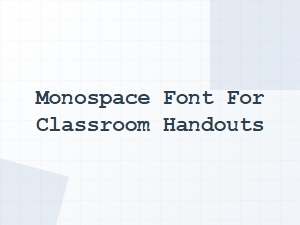 Monospace Fonts for Clear Classroom Handouts
 Monospace Fonts for Coding Worksheets
 Monospace Fonts for Stem Activity Sheets
 Handwritten Fonts for Baby Shower Announcements
 Handwritten Fonts for Holiday Greeting Cards
 Serif Fonts for Vintage-Themed Planners